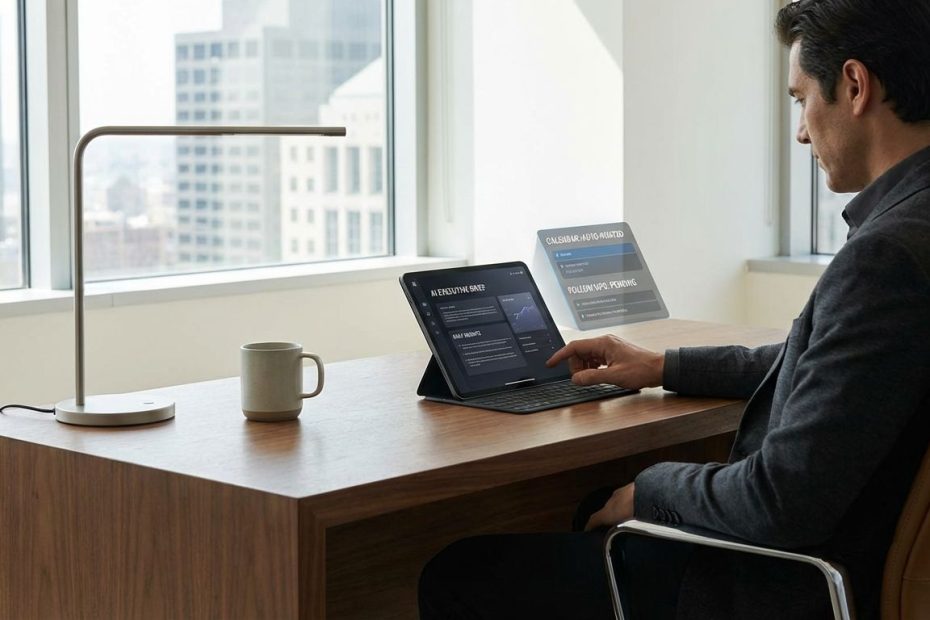
CEO productivity in a machine-led era comes from redesigning how work enters your day, how decisions move, and how follow-through gets executed, with AI handling the intake, compression, and routing so your calendar stops acting like a junk drawer.
This article shows how to restructure meetings, email, documents, and decision flow around machine support without adding a new layer of busywork. You will leave with a practical operating model, a schedule you can run next week, and the metrics that prove whether AI is shrinking your coordination load or quietly expanding it.
How Do CEOs Really Spend Their Time, And What’s Most Redesignable With AI?
If the workday feels permanently “booked,” it usually is. Data from a large CEO time-use study reported that CEOs work about 62.5 hours per week, spend roughly 72% of their time in meetings, and average around 37 meetings per week, with most time scheduled and a smaller portion left for unscheduled, real-time issues. That mix matters, since the scheduled block is where coordination inflates, and the unscheduled block is where early signals show up and where leadership actually happens.
The most redesignable surface area is not “tasks.” It is coordination: status collection, pre-reads, recurring check-ins, meeting notes, action-item tracking, and the approval chain that stretches a decision across three meetings and six inboxes. A machine-led workday targets those transfer points. When AI compresses information well and routes ownership reliably, you get fewer calendar events, fewer follow-up pings, and fewer “quick sync?” requests that multiply across teams.
Start by mapping where your day leaks time. Most CEOs see the same four drains: recurring meetings that exist to share updates, ad hoc meetings triggered by missing context, approvals that require rewriting or reformatting, and post-meeting follow-through that lives in scattered notes. AI can reduce each one, yet only if you change the operating rules that created the load. Without new rules, AI becomes a faster way to create more artifacts for more people to review.
Which AI Workflows Actually Save Executives Time Across Email, Meetings, Docs, And Decisions?
The workflows that pay back for executives are the ones that compress, standardize, and route. Compression means turning long inputs into short, decision-ready outputs. Standardization means producing consistent formats that teams can trust. Routing means pushing the work to the right owner with the right context, without you acting as the human message bus.
Survey-based research summarized by the Federal Reserve Bank of St. Louis reports that generative AI users saved an average of 5.4% of work hours in the November 2024 survey, which equals about 2.2 hours per week for a 40-hour week. That is real, yet it is not automatic, and it is not evenly distributed. The same research also reports that heavier users tend to report larger savings, and that a meaningful share of users report multi-hour weekly savings.
Professionals also expect the gains to rise as tools and workflows mature. Thomson Reuters reported that professionals predict AI could save four hours per week within a year and up to 12 hours per week within five years, and it extrapolated the annual impact based on 48 to 50 working weeks. That projection becomes plausible when AI is embedded into the work system, not bolted onto it as an optional helper.
In practical executive terms, the highest-yield workflows usually look like this:
- Meeting-to-decision compression: auto-generate decision briefs and open questions before a meeting, then capture decisions and owners immediately after.
- Inbox triage with intent labels: classify messages into “decision needed,” “delegate,” “informational,” and “archive,” with drafts produced only where you provide the final intent.
- Document acceleration with constraints: generate drafts in a fixed format, with required inputs, required citations to internal sources, and a clear reviewer checklist.
- Operating cadence automation: weekly business review packs, metric commentary, and risk registers compiled from existing systems, not from manual deck-building.
The last point is where executives see compounding returns. When AI builds the pack and highlights anomalies, meetings become decision sessions instead of reporting sessions. That reduces the number of meetings required to reach clarity. It also reduces the “pre-meeting scramble,” a hidden tax that many calendars never show.
How Do You Cut Meetings With AI Without Losing Alignment Or Culture?
Meeting reduction succeeds when you replace the function a meeting served. Many standing meetings exist for three reasons: to share state, to negotiate priorities, and to maintain accountability. AI can carry the “share state” part extremely well, yet only if you specify what state matters and where it gets published.
Set a simple rule: status becomes asynchronous by default. AI generates a weekly brief per initiative: what changed, what is blocked, what decision is required, what risk increased, what customer signal is new. Then require owners to confirm accuracy with one sentence and one metric. This is not more process. It is a replacement for the 60-minute roll-up call that everyone attends to hear two minutes of relevant detail.
Then tighten what remains on the calendar. A meeting earns a slot only if it produces one of three outputs: a decision, a committed plan, or a resolved conflict. Everything else becomes a written update, a short async Q&A thread, or a recorded five-minute clip. Zoom’s public roadmap for AI Companion described agentic capabilities that detect action items and help manage tasks across meetings, chat, and email, including a dedicated tasks experience designed to reduce manual follow-up work. That direction matters because follow-through is the main reason leaders keep recurring meetings alive. When follow-through becomes visible and tracked without a meeting, meetings lose their justification.
To protect alignment, enforce a consistent output format for decision meetings:
- Decision statement: one sentence.
- Options considered: three bullets max.
- Tradeoffs accepted: two bullets.
- Owner and deadline: one line.
- Revisit trigger: what metric or event reopens the decision.
AI can draft this from your meeting transcript, yet the value comes from the rule that this artifact becomes the source of truth. Culture does not disappear when meetings shrink. Culture disappears when decisions become invisible, ownership becomes fuzzy, and teams feel surprised. Written decision records reduce surprise, which strengthens trust, which reduces the perceived need for constant live alignment.
What Does A Machine-Led Workday Look Like In Practice For A CEO?
A machine-led workday is not a day where you “do less.” It is a day where machines run intake and routing, and you spend human time on judgment, narrative, talent, customers, and capital allocation. The calendar stops being the work. The calendar becomes a tool for the few conversations that genuinely require live, high-bandwidth exchange.
Use a schedule that respects two realities: your week is meeting-heavy, and you still need open space for the unexpected. The CEO time-use data reported a large share of time scheduled and a meaningful share unscheduled, which signals that you cannot optimize for a fully booked day without paying for it later in missed signals and reactive firefighting.
Here is an operating template that works when you want fewer meetings and faster decisions:
- Daily Executive Brief (20–30 minutes): AI produces a “what changed” report: revenue signals, pipeline movement, customer escalations, cash and spend deltas, key hiring or attrition events, security and reliability flags, and top three decisions pending. You skim, mark two items for escalation, and approve a short list of delegations.
- Decision Blocks (two 45-minute blocks): only decision meetings live here. AI-generated pre-reads arrive 12–24 hours earlier in a fixed format. Meetings end with a decision record and tasks created.
- Relationship Blocks (two 30-minute blocks): customer calls, key leader 1:1s, board-level outreach, strategic partners. These do not get displaced by internal status meetings.
- Communications Window (30–45 minutes): inbox triage and approvals bundled. AI drafts; you finalize intent, tone, and priority.
- White Space (60–90 minutes total): protected time for unscheduled issues, thinking, and walk-around time with leaders. You keep this because reality does not respect your calendar.
Machine-led does not mean tool-heavy. It means rules-heavy in the right way: consistent intake, consistent outputs, consistent routing, consistent accountability. Tools support the rules. Tools do not replace them. When the rules exist, switching tools becomes easier, since the operating model is stable even if vendors change.
Why Do Some Leaders Say AI Increases Workload Instead Of Reducing It?
AI increases workload when it creates a new review loop without removing an old loop. Drafting becomes faster, yet verification expands. Meetings get notes, yet no one trusts them, so a human still takes notes. Summaries arrive, yet they are missing key details, so people ask for another meeting to confirm what happened. That is not AI failure alone. That is an operating failure: unclear quality bars, unclear owners, unclear escalation paths.
Worker sentiment research has repeatedly shown this tension. Reporting on a survey indicated that a large share of workers felt AI reduced productivity and increased workloads, often tied to extra time spent reviewing outputs and dealing with tool friction. Executive teams feel that pain too, since executives get dragged into disputes about what the AI “meant,” or asked to approve work that used to be handled cleanly downstream.
Reliability issues at the last mile also create “double work.” Community threads about AI meeting assistants include complaints that summaries were not generated or did not appear, which pushes people back to manual backup behaviors. Once backup behaviors become standard, you pay for AI and you still pay for the old process.
Fix this with three concrete moves:
- Define “good enough” output: a one-page rubric for summaries, drafts, and briefs. If a summary misses decisions and owners, it fails.
- Assign a single accountable owner per workflow: not for “AI,” for the meeting summary pipeline, the weekly brief pipeline, the approval drafting pipeline.
- Measure exception rates: how often the system fails and forces manual rescue. If exceptions are above 5%, users will distrust it and rebuild manual habits.
AI becomes a workload reducer only when the exception path is short, visible, and owned. Executives should treat this like any operational system: if reliability is low, adoption collapses, and the cost of partial adoption is higher than the cost of no adoption.
What Policies Do You Need So AI Productivity Doesn’t Turn Into Risk, Rework, Or Shadow Tools?
AI productivity breaks when data boundaries are unclear and teams route around official tools. Once work fragments across unapproved assistants, outputs become inconsistent, auditability becomes weak, and decision records become hard to trust. Then leaders tighten controls, adoption drops, and the organization ends up with the worst mix: risk plus low productivity impact.
Some companies are already pushing harder on adoption and internal tooling use, including signals that using AI tools is becoming an expected part of work in some environments. That pressure tends to increase tool usage quickly, yet it also increases the chance that people adopt shortcuts unless guardrails are simple and practical.
Policy that enables speed without chaos is operational, not theoretical. Put these items in place:
- Approved tool list with clear data tiers: what can be used with public data, internal data, customer data, regulated data, and source code.
- Logging and retention rules: what is stored, for how long, and who can access it, aligned with how meeting transcripts and summaries are treated.
- Attribution rules for AI-assisted work: when a leader needs to know a draft was AI-assisted, and what human verification is required before sending externally.
- Output ownership: the human owner is accountable for accuracy, even when AI drafts.
- Procurement path that matches tool velocity: a fast lane for low-risk pilots with a clear cutover decision at 30 or 60 days.
Keep the rules short enough that leaders can repeat them. If a policy requires a PDF, a training course, and a legal review for basic usage, teams will bypass it. A machine-led era requires machine-speed governance, meaning defaults, templates, and automatic enforcement where possible.
Also watch the workforce gap in AI experience. PwC’s 2025 workforce survey press release highlighted that daily GenAI users report benefits like higher productivity, while a sizable share of workers also report feeling overwhelmed. That combination shows why CEO-level redesign must include enablement, not just tool rollout, or the organization will split into power users and everyone else.
How Can A CEO Use AI To Redesign The Workday?
- Auto-brief mornings, replace status meetings with AI updates
- Run decision-only meetings, capture decisions and owners
- Bundle approvals, route follow-ups into tracked tasks
Put The Machine To Work, Then Protect Your Human Time
A machine-led workday succeeds when you remove coordination from the calendar, convert meetings into decision engines, and make follow-through visible without you chasing it. Use AI for compression, routing, and drafting, then hold firm quality bars so review loops do not expand. Measure meeting volume, exception rates, and decision cycle time weekly, and treat workflow reliability as an operational metric, not a tool preference. When your intake is controlled and your outputs are standardized, your day regains white space and your leadership time shifts back to decisions, talent, and customers.
References
- Federal Reserve Bank of St. Louis: The Impact of Generative AI on Work Productivity (Feb 27, 2025)
- Thomson Reuters: AI set to save professionals 12 hours per week by 2029 (Jul 2024)
- Zoom Newsroom: Zoom debuts new agentic AI skills and agents for Zoom AI Companion (Enterprise Connect 2025)
- Business Insider: AI is making most workers less productive, survey finds (Aug 2024)
- Business Insider: Microsoft internal memo: “Using AI is no longer optional” (Jun 2025)
- PwC: 2025 Global Workforce Survey press release
- Reddit (r/Zoom): AI Companion issues, meeting summaries not generated
- CNBC: Harvard study on what CEOs do all day (Jun 20, 2018)

Jay Holstine is a Vistage Chair and veteran tech CEO with 20+ years of experience in SaaS and operations. The founder of SigmaFlow and former CEO of Freightflow, he now leads a Dallas–Fort Worth CEO peer group and advises executives on strategy, process improvement, and scalable growth.